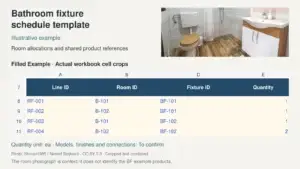
An FF&E schedule template records the furniture, fixtures and equipment required for each room, with quantities, dimensions, specifications, supply responsibilities and delivery records. It connects a selected item to its location and the documents needed to quote, review and receive it.
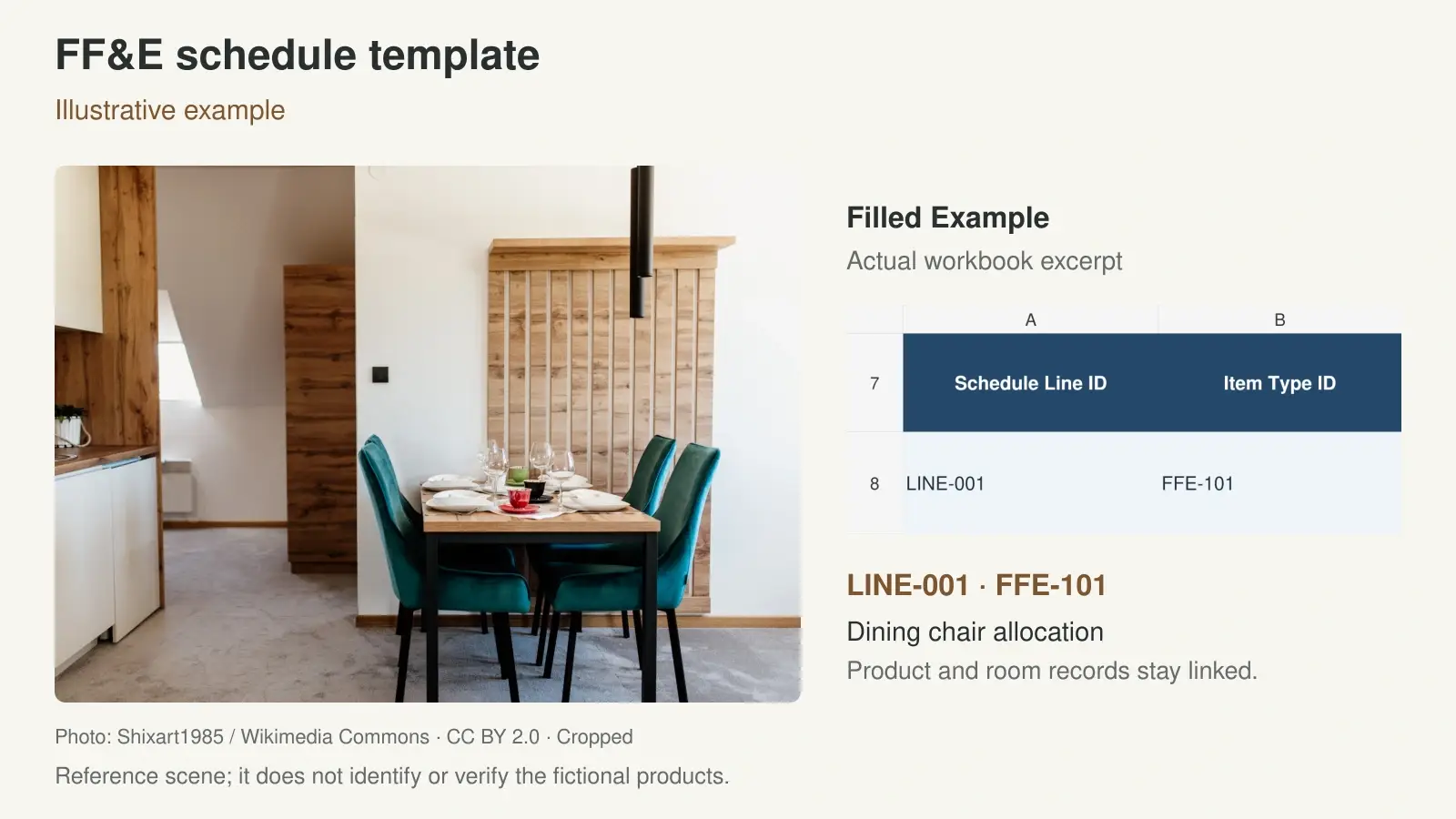
Use the editable Excel workbook below to build your project list. It includes blank registers and a separate filled example showing how an item type, room allocation, specification and receipt record connect. Start with the information you have, and mark selections that still need confirmation.
Download the FF&E Schedule Template in Excel
The workbook separates the main furniture and equipment list from detailed specifications, supply scope, deliveries and reviews. This keeps repeated descriptions out of the main list while retaining a shared reference for each record.
Download FF&E Schedule Template Excel
| Worksheet | What it records |
|---|---|
| FF&E Schedule | Each location allocation, item type, quantity, unit and manual order release, with delivery totals |
| Specifications | Product descriptions, overall dimensions in mm, finishes and supporting document references |
| Supply Scope | Supply and installation responsibilities, quotation and order references, inclusions and delivery requirements |
| Delivery Log | Separate receipts, received and accepted quantities, rejected items and follow-up records |
| Review Log | The document or sample reviewed, its revision, decision and review details |
| Filled Example | Fictional furniture and lighting entries showing how the records connect |
| Instructions | Definitions, entry order, formula guidance and the limits of the template |
Enter project data in the blank registers and retain the example as a reference. The template supports coordination and quantity tracking. Keep detailed pricing in the linked quotation or commercial register; this download is not a budget calculator.
What an FF&E Schedule Should Include
Define the package before listing products. Furniture may include chairs, tables and beds. Equipment and fixtures depend on the project scope and may include appliances, decorative lights or other room items. State which packages are covered, who supplies them and which related schedules govern the details.
Keep item selections connected to their specifications
Every line needs an identifiable item type, a destination and a quantity unit. Add the product model, material, finish, dimensions and specification reference as the selection develops. For custom pieces, the project furniture coordination guide explains the information needed to connect furniture selections with drawings, samples and packing records.
Room surface finishes usually need their own location and material records. Link paint, flooring and wall finish codes to a finish schedule template, while keeping the finish of an individual chair or table in its FF&E specification. Identify built-in joinery by its separate drawing reference when it is outside this package.
Record technical requirements for the actual item
A photograph establishes appearance but leaves many purchasing details open. Record the exact model or custom drawing, finish sample and relevant technical document. For electrical items, add the project requirements and manufacturer references for power, connection, mounting and controls. Use the project lighting specification guide when developing those fixture records.
For curtains, rugs and upholstered items, define finished size, fabric or material code, set contents and accessories. The soft furnishing coordination guide covers these selections in more detail. Keep applicable performance requirements and supporting evidence attached to the specified item and its intended use.
FF&E Schedule Example by Room
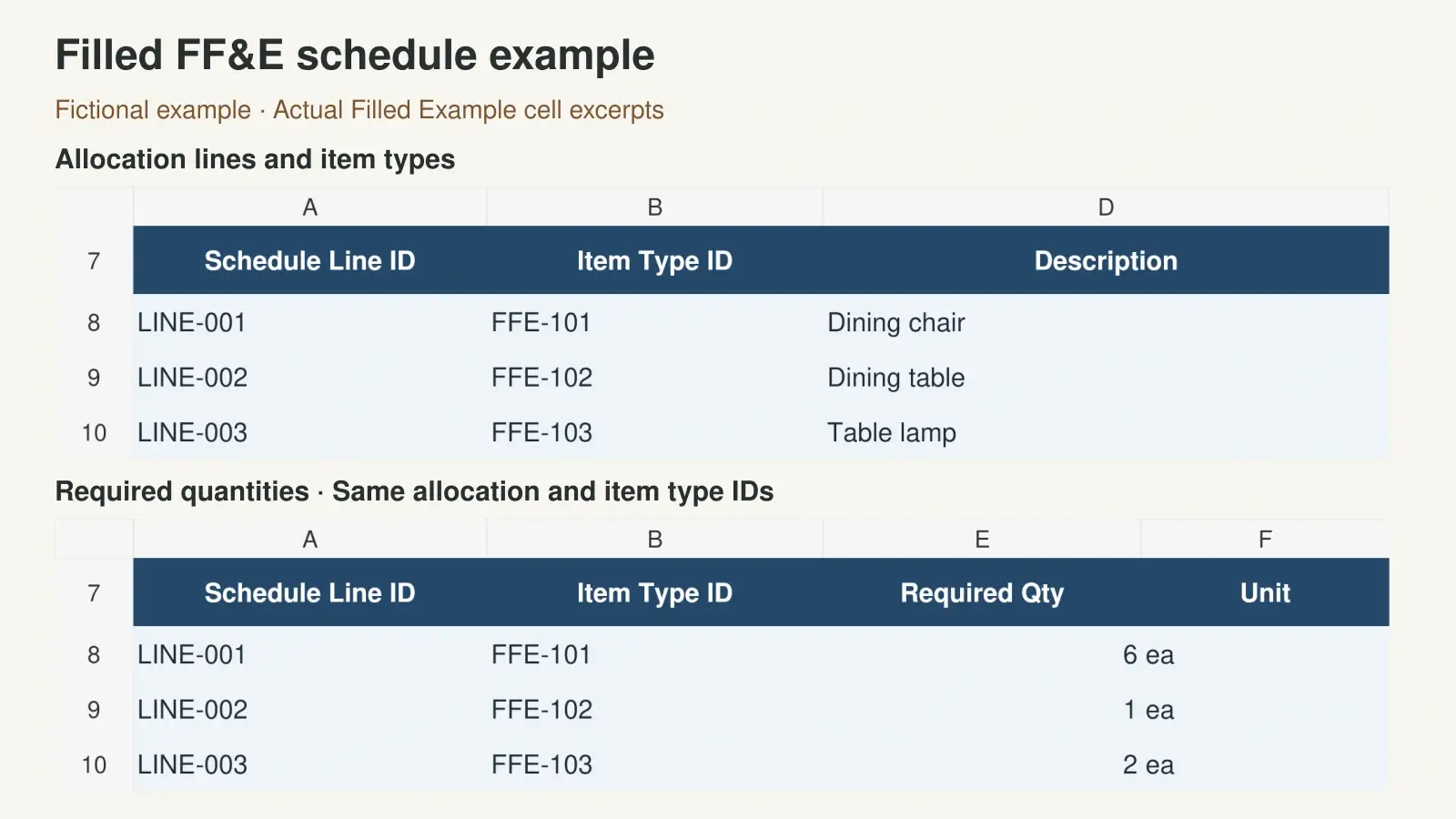
The following fictional entries allocate the chairs and table to a dining room and the lamps to a living room. They show the relationship between location allocations and product types. The dimensions are illustrative overall sizes in millimetres, written as width by depth by height. They are not manufacturer specifications or approved project selections.
| Allocation and item type | Description and quantity | Overall W by D by H in mm |
|---|---|---|
| LINE-001 / FFE-101 | Dining chair, 6 ea | 520 by 560 by 800 |
| LINE-002 / FFE-102 | Dining table, 1 ea | 1800 by 900 by 750 |
| LINE-003 / FFE-103 | Table lamp, 2 ea | 300 by 300 by 500 |
FFE-101 identifies the chair specification. LINE-001 identifies the allocation of six chairs to this location. If the same chair is needed in a second room, create another allocation line and reuse FFE-101 only when its specification is identical. Keep different sizes or finishes distinguishable through separate type IDs or a controlled variant reference.
The Filled Example worksheet demonstrates this structure and includes fictional order and receipt records for the chair and table. The lamp remains unreleased. These teaching records do not authorize any purchase, and actual supplier models, finishes and project reviews require confirmation. Copy the structure into the blank registers, then enter your own verified project information.
How to Fill In Quantities and Dimensions
Assign allocation IDs and check the quantity basis
Give each main schedule line a unique allocation ID. Use the same ID in supply, receipt and review records so a delivery can be traced to the correct room quantity. Keep the reusable item type ID aligned with the Specifications worksheet and the current furniture plan.
Count items from the latest layout and record the drawing number and revision. State whether the quantity represents individual items, pairs or defined sets. A set must have a written description of its contents. Keep spare quantities identifiable so they are not counted again as room allocations.
For repeated guestrooms, check quantities by room type and actual room count before combining purchasing totals. Record exceptions such as accessible rooms, suites or phased refurbishment areas. Our hotel material coordination overview explains how room types and phased packages affect procurement planning.
Separate overall size from space and access checks
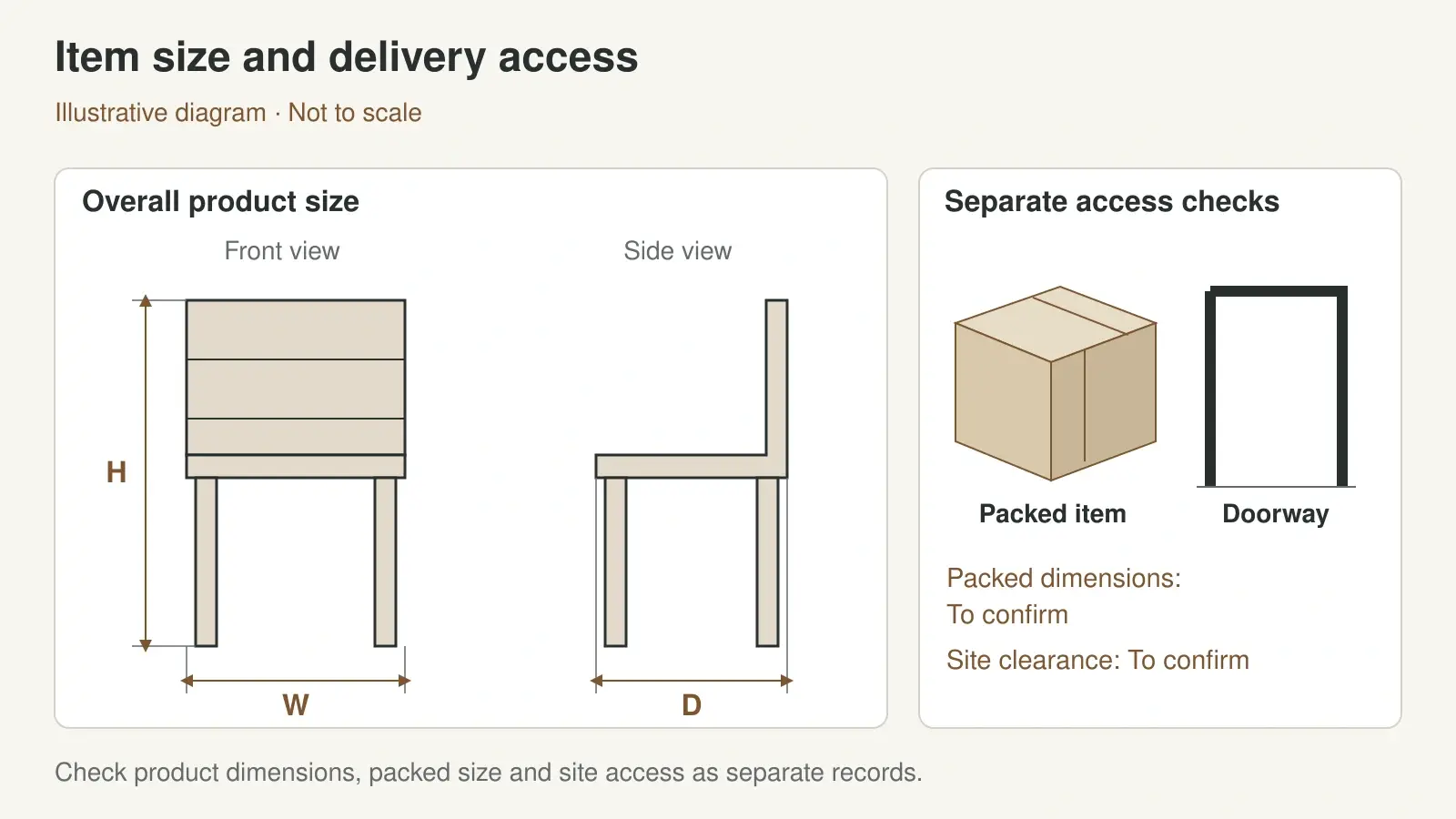
Enter overall width, depth and height in the labelled millimetre columns. For a circular item, identify the diameter in the description or supporting specification rather than leaving readers to infer it. Use the notes and document references for seat height, adjustable ranges, open-door dimensions or other measurements that affect use.
Check the selected model against available room space, operating clearance and the delivery route. Packed size may differ from assembled size. Doorways, lifts, stairs and turning space need their own checks, with the responsible person and measurement reference recorded. A completed dimension field does not confirm that an item fits or can be installed.
Define Supply Scope Before Comparing Quotations
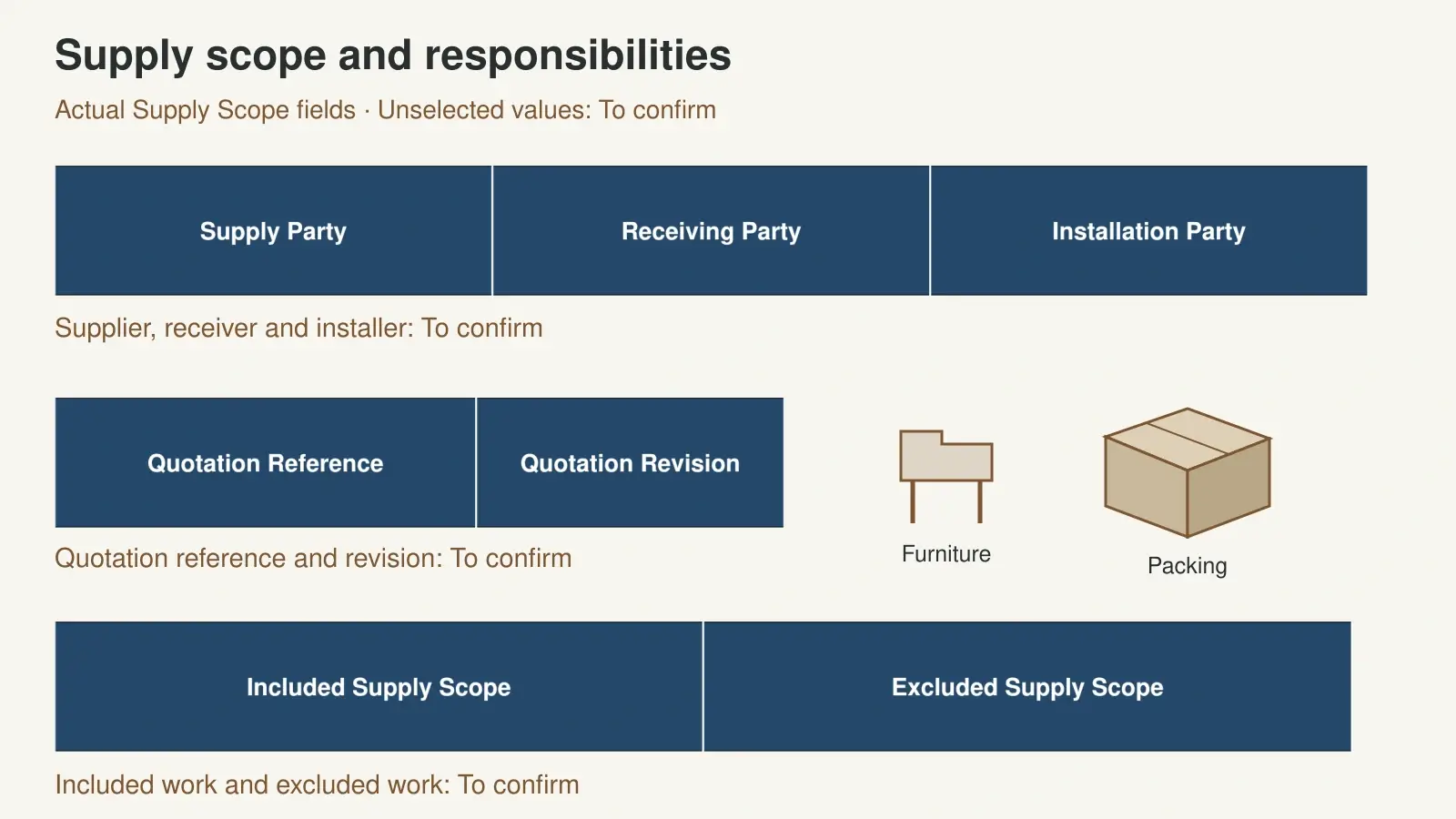
Name the supplier and each site responsibility
Record who procures the item, who supplies it, who receives it and who installs it. If the owner purchases a product and a contractor installs it, write both responsibilities explicitly. Identify any assembly, fixing, connection or commissioning work in the agreed scope.
List the required accessories and the work by others. A lamp entry, for example, should make clear whether its light source and compatible controls are included. A furniture package may require separate confirmation of hardware, assembly and placement. Keep quotation and purchase order references tied to the allocation ID.
Compare inclusions and exclusions on the same basis
Check quotations against the same item specification, quantity and unit. Record the finish, document revision and sample reference used for the offer. Then compare freight, unloading, inside delivery, storage, installation and other relevant charges through written inclusions and exclusions.
Replace a broad term such as delivery included with the agreed destination and service. Confirm the named delivery point, unloading arrangements, floor or room placement, access conditions and receiving contact. The procurement coordination services overview describes how project information, quotations, approvals and shipment preparation are coordinated; the exact service scope still needs agreement for each project.
Track Partial Deliveries and Outstanding Quantities
Record each receipt separately
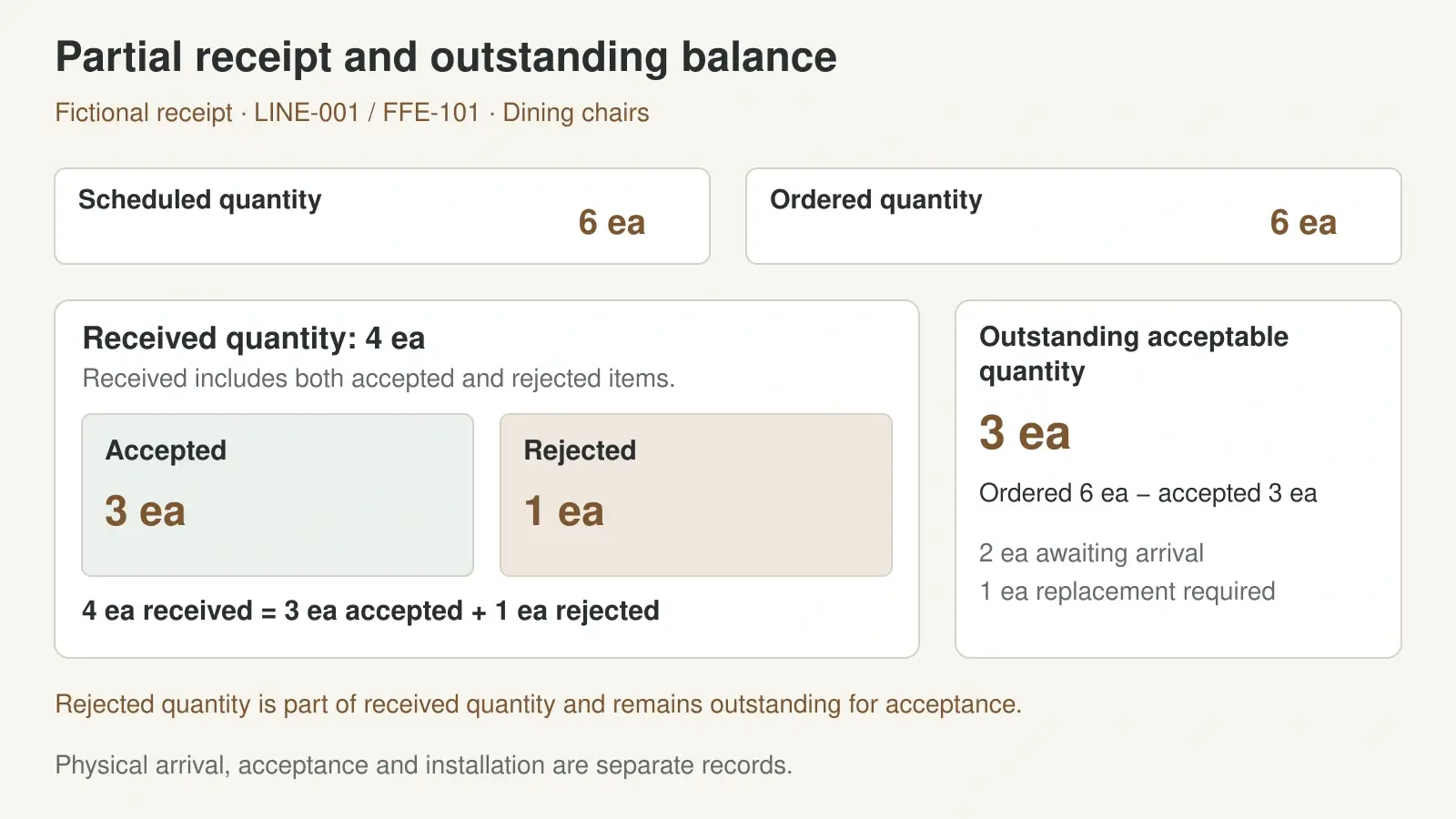
Use one Delivery Log entry for each receipt against an allocation line. Record its date, receipt reference and quantities received, accepted and rejected. Enter zero for accepted or rejected quantities when none have been recorded; keep any unassessed balance pending. Note damaged or incorrect items, attach the relevant inspection or photograph reference, and identify the follow-up action.
Received and accepted quantities answer different questions. An item can arrive and still await inspection. Keep that quantity pending until its condition and conformity have been checked. Update the inspection figures on the original receipt; create a new receipt row only for a new physical delivery. Track installation separately from delivery, including any incomplete assembly or connection work.
Reconcile receipts against the ordered quantity
If six chairs are scheduled and ordered, and a receipt contains four chairs, of which three are accepted and one is rejected, the accepted total is three. Three acceptable chairs remain outstanding against the order for that allocation, including the replacement for the rejected chair. A later receipt needs a new record linked to the same allocation ID.
The workbook calculates accepted and outstanding ordered quantities from eligible receipt entries and flags entry conflicts. Enter the confirmed ordered quantity separately from the planned schedule quantity; a planned selection without an order has no outstanding order balance. Review those flags before relying on the totals. Duplicate receipt IDs, receipts assigned to the wrong allocation and inconsistent quantities can distort the record. Update the supporting documents when a receipt is corrected.
Confirm the delivery sequence, package labels and receiving arrangements before shipment. For a multi-supplier package, the building material sourcing guide covers coordination of approvals, inspection, packing and consolidation.
Keep Reviews and Order Release Separate
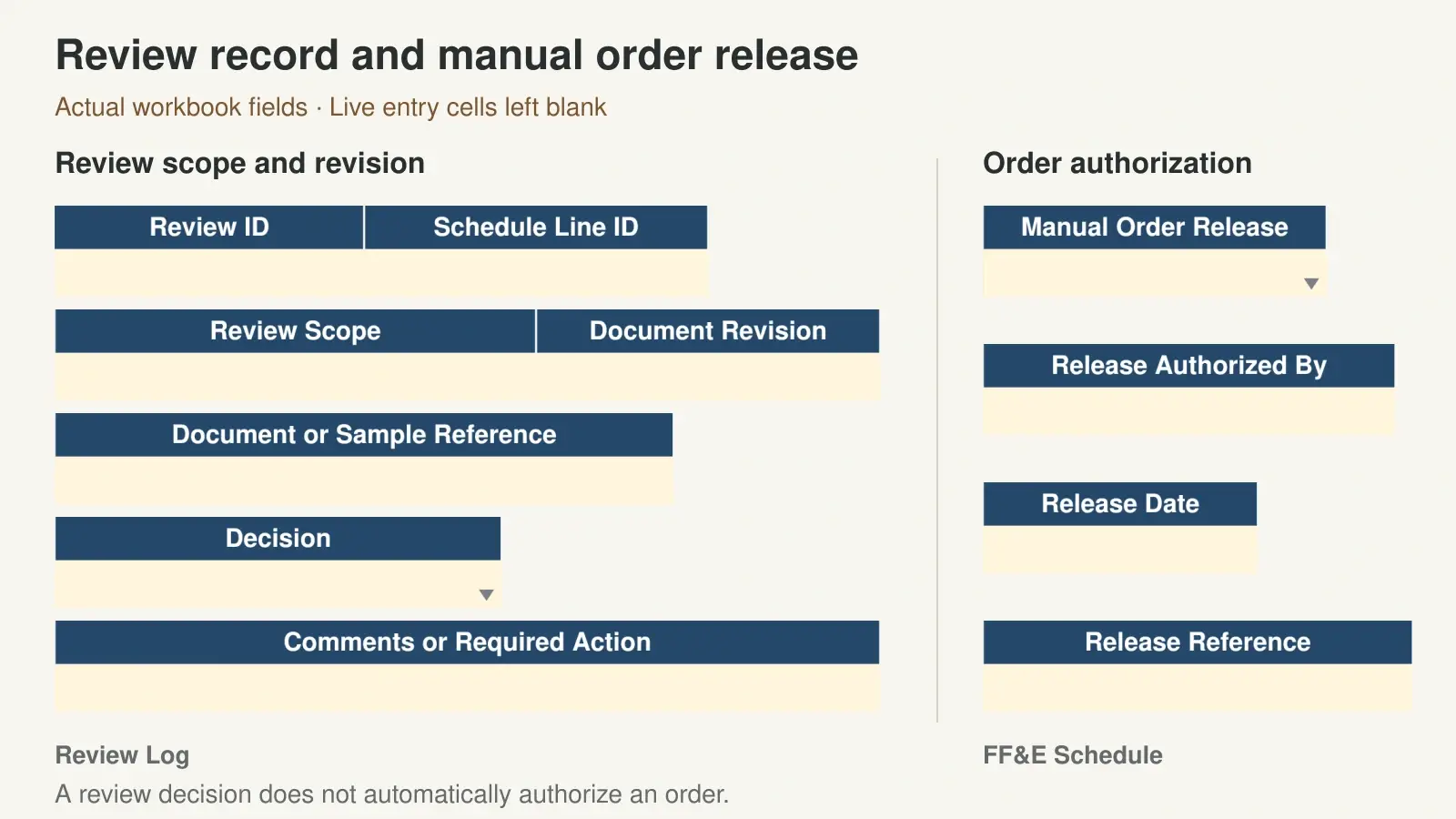
Record what was reviewed, which document or sample revision was submitted, who reviewed it and the decision. A finish sample decision relates to that finish; a drawing review relates to the submitted drawing. Keep a new log entry when a revised submission needs a fresh decision, and retain the earlier record for reference.
Order release is a separate manual record. Before recording it, confirm the required specification and sample reviews, quantity, supply scope, current quotation and delivery arrangements. Keep the authorization and order reference available. Changing a review decision in the workbook does not automatically authorize a purchase.
When an ordered item changes, identify the revised selection and ask the supplier to confirm the effect on price, timing and delivery records. Keep superseded documents distinguishable from the current issue.
If you need a coordinated quotation, send your FF&E schedule and drawings for review. Include the room allocations, quantities, specification references, supply boundaries, destination and required delivery stages. Mark open decisions so they can be resolved during scope review.
Frequently Asked Questions
What does FF&E stand for
FF&E stands for furniture, fixtures and equipment. In this template, the schedule is an item and procurement coordination record. Define its package boundaries for your project because different teams may allocate fixtures, joinery and equipment to different documents.
Can I reuse one item code in several rooms
Yes, reuse an item type ID when the specification is identical. Give each room allocation its own line ID and quantity. Delivery records then remain connected to the correct location, while the shared product specification is maintained once.
Does this FF&E template calculate a project budget
No. The workbook focuses on specifications, quantities, supply responsibilities, reviews and delivery reconciliation. Use the quotation and purchase order references to connect it to a commercial register with the required currency, taxes, freight and installation costs.
What should I check before ordering furniture and equipment
Confirm the current specification, dimensions, quantity unit, samples, required reviews, supply scope, quotation and delivery arrangements. Check site fit, access and installation interfaces with the responsible parties. Record the order authorization separately from design or sample decisions.