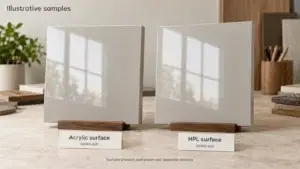
A kitchen cabinet color combination succeeds when the cabinet finish and the fixed surfaces read as one planned palette. The countertop, floor, backsplash, appliance fronts and installed lighting affect the result as much as the cabinet color itself. A door sample that looks balanced on a desk can appear warmer, cooler, darker or more reflective when it is placed beside the actual materials in the room.
This guide focuses on those relationships. It does not rank a universal best cabinet color or repeat a yearly trend list. It shows how to compare undertone, value, pattern, grain, sheen and light before a finish is approved. Use the evergreen cabinet color and finish guide for broader color-family and finish selection. Use the 2026 cabinet color selection guide when a current-year shortlist or RFQ checklist is needed.
The combinations below are starting points, not fixed rules. Every final palette should be checked with production-representative samples, the selected slab or tile range, the specified hardware and the lighting conditions expected after installation. Record the approved result so the designer, buyer, factory and installer compare the same references.
Start With the Fixed Surfaces
List What Is Already Selected
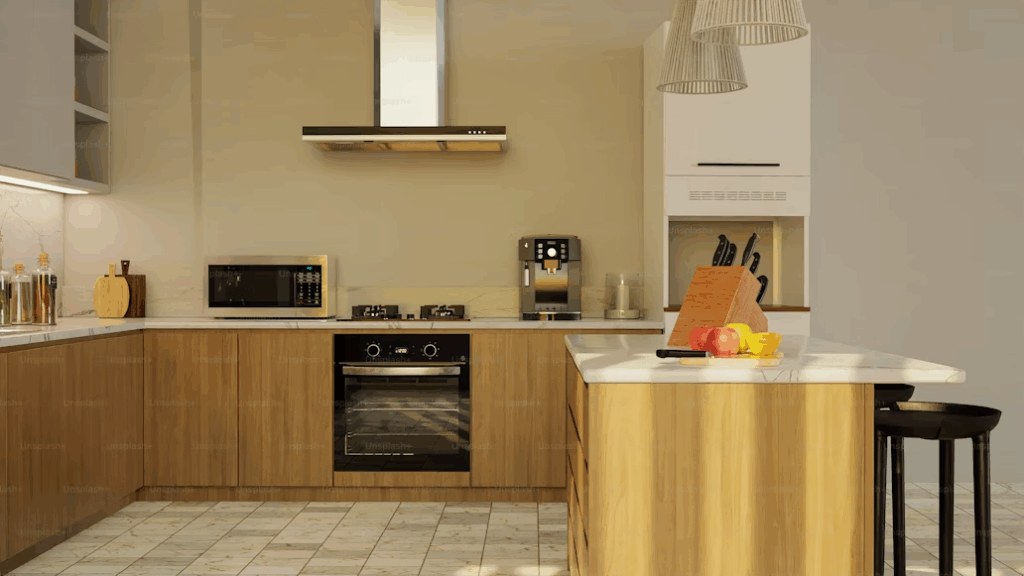
Begin with the materials that are installed, ordered or constrained by the building. These may include a stone slab, a tiled floor, an existing timber floor, a full-height backsplash, appliance fronts or an adjacent wall finish. Photographs help document the room, but they do not replace physical samples because cameras, screens and automatic white balance can shift color.
Record each fixed item by supplier, product name, color or batch reference, finish and location. Natural materials and patterned products may vary across a slab, board or tile range. Ask for a range sample or review the selected pieces when the visible variation could affect the cabinet pairing.
Choose One Anchor Material
Choose the fixed material that most strongly limits the palette and treat it as the anchor. In one kitchen this may be a veined countertop. In another it may be an existing floor that continues into adjacent rooms. The anchor does not need to be the visually dominant surface, but it should be the item that the project cannot change without revising scope, supply or installation.
Place the anchor sample vertically or horizontally as it will be installed, then add the cabinet sample beside it. Keep the remaining surfaces secondary during the first comparison. This makes it easier to see whether the cabinet and anchor share a compatible undertone or create an intentional contrast.
| Decision step | Question | Record before moving on |
|---|---|---|
| 1 Fixed inventory | Which surfaces and equipment will remain or are already selected | Supplier reference finish location and sample status |
| 2 Anchor | Which item places the strongest limit on the palette | Named anchor and reason it controls the comparison |
| 3 Cabinet direction | Should the cabinet blend with the anchor or create contrast | Two or three production-capable color families |
| 4 Secondary surfaces | Do floor backsplash walls and appliances support the direction | Approved sample board with unresolved conflicts marked |
| 5 Lighting | Does the palette remain acceptable in daylight task light and evening light | Review conditions and any lighting changes required |
| 6 Release | Can every visible cabinet component be ordered to the same approved system | Finish schedule control sample and signoff status |
Use Undertone Value Pattern and Sheen
Separate Undertone From Lightness
Undertone is the quieter color that appears beneath the main impression of a neutral. Two finishes can both be described as white, gray or beige while one leans yellow, pink, green, blue or violet. Compare neutral samples directly against the countertop and floor. A mismatch is often easier to see at the edge where two materials meet than when each sample is viewed alone.
Value describes how light or dark a surface appears. A low-contrast palette can feel continuous, but it needs enough separation for the cabinet, counter and wall to remain legible. A high-contrast palette gives each surface a clearer role, yet strong light-dark changes can make joints, fillers and alignment more visible.
Control Pattern and Grain
A bold vein, busy tile or pronounced wood grain already carries visual movement. Pair it with cabinet fronts that give the pattern room to read. If both the cabinet and countertop have active grain or movement, compare the direction, scale and repeat across a full elevation rather than judging a small sample cluster.
Compare Sheen at the Same Angle
Matte, satin, textured and high-gloss finishes reflect light differently. Hold door samples vertically, as installed, and tilt countertop or floor samples to their installed plane. A color can look lighter or more saturated when the reflection changes. The Sherwin-Williams light and finish guidance provides a useful explanation of how light direction and finish alter perceived color. Use it as general color guidance, then approve the actual cabinet system supplied for the project.
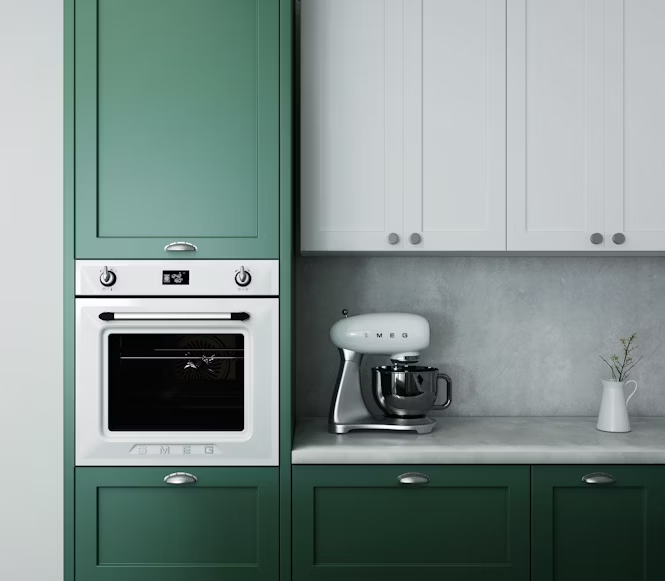
Kitchen Cabinet Color Combination Matrix
Use the matrix to build a first sample set. Each row describes a coherent direction and the conflict that should be tested. It does not guarantee a match between products with similar marketing names. The approved physical samples and project lighting control the final decision.
| Cabinet direction | Countertop | Floor and backsplash | Hardware and appliance cue | Check before approval |
|---|---|---|---|---|
| Warm white or cream | Cream white beige stone or warm restrained veining | Pale oak warm neutral tile and soft white or stone toned splash | Brass bronze warm stainless or controlled black | Yellow pink or gray undertones at every junction |
| Greige taupe or mushroom | Warm gray taupe or quiet off white surface | Oak walnut beige gray tile and low contrast splash | Nickel bronze black or muted mixed metal | Enough value contrast to avoid a flat gray field |
| Muted sage or olive | Cream tan warm gray or softly patterned stone | Warm timber clay beige tile and simple warm neutral splash | Brass bronze black or stainless | Green shift beside stone veins and electric light |
| Dusty blue or navy | Light warm gray off white or pale stone | Pale timber neutral gray floor and quiet light splash | Brass nickel black or stainless | Task light dark corners and appliance front color |
| Charcoal or black | Light to mid value counter with controlled pattern | Light or mid tone floor and restrained backsplash | Black bronze or stainless with clear role | Fingerprints reflections edge wear and contrast at joints |
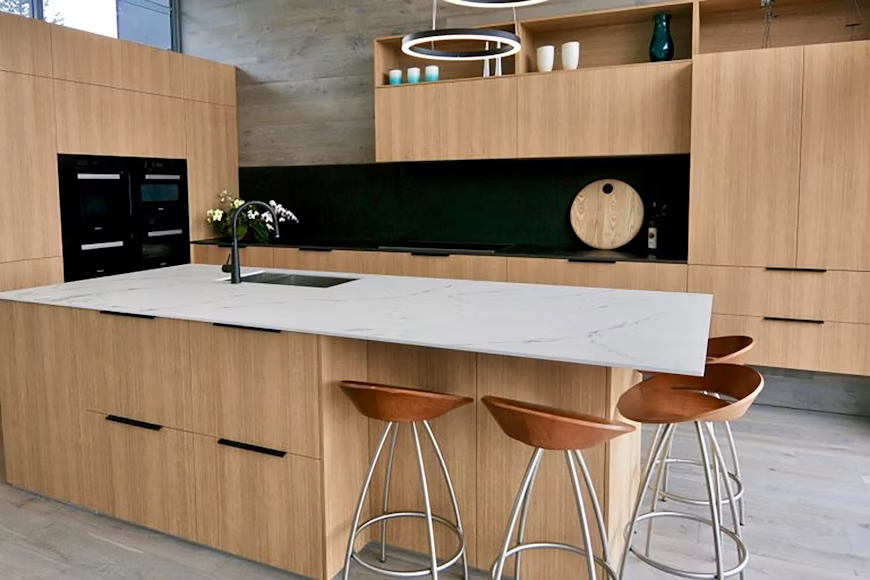
| White oak with painted cabinets | Warm white beige taupe or compatible gray surface | Floor distinct enough from cabinet grain and a simple splash | Nickel bronze black or warm metal | Near match wood tones grain direction and sample range |
| Two related neutrals | One quiet surface that supports both cabinet colors | Floor or splash repeats one shared undertone | One primary hardware finish | Exact transition line on plans and elevations |
Use the Matrix to Select Samples
Select no more than a few workable cabinet directions at the first review. Add the exact countertop, floor and backsplash references, then remove any option that depends on changing a protected fixed surface. This keeps the review focused on combinations the project can actually procure and install.
Record Why a Combination Works
Write a short reason beside each retained option. For example, the cabinet repeats the warm gray in the slab background while remaining darker than the floor, or the painted island provides contrast while the perimeter wood relates to the adjacent room. A specific reason is easier to verify than a label such as timeless or luxurious.
Warm White and Cream Combinations
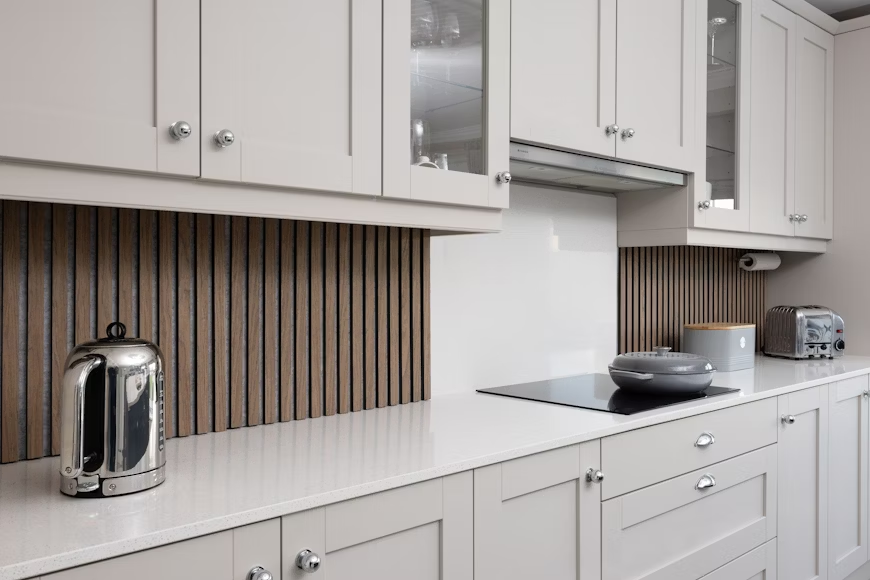
Coordinate Whites With the Countertop Background
Warm white and cream cabinets can support stone, timber and metal without introducing a strong hue. The main risk is treating every pale finish as interchangeable. Compare the cabinet against the quiet background area of the countertop, not only its brightest vein. A cabinet that is cleaner and cooler than the slab may make the counter look yellow. A cabinet that is much warmer may make a cool stone look blue or gray.
Use Hardware as a Controlled Accent
Black hardware can add a defined line to pale cabinets, while brass, bronze or nickel can connect the cabinetry to lighting and plumbing finishes. Keep the role consistent across handles, hinges that remain visible, taps and decorative lights. The white cabinets with black hardware guide gives a focused example of this contrast. Confirm the actual coating and profile because a small sample can read differently once repeated across many doors.
Greige Taupe and Mushroom Combinations
Bridge Warm and Cool Materials
Greige, taupe and mushroom can bridge a cool appliance finish with a warmer floor or stone. Their usefulness comes from balance, not from a universal neutral status. Place the sample beside the largest warm and cool surfaces in the room. Reject a color that looks stable against one surface but turns visibly green, pink or violet against another.
Create Separation in a Low Contrast Palette
When cabinets, countertop and floor are close in value, use differences in texture, sheen or joint definition to keep the composition clear. A matte painted front can sit beside a lightly polished stone, or a quiet cabinet can balance a floor with more texture. Avoid relying on tiny color differences that disappear under evening light.
Muted Green Combinations
Pair Green With Warm Stone and Timber
Muted sage and olive often sit comfortably beside warm timber, cream stone and clay or beige tile. The exact green still needs testing because gray-green, yellow-green and blue-green finishes behave differently beside veining and grout. Use a large door sample so the color area is big enough to reveal the undertone.
Limit the Green to a Clear Zone
If a full green kitchen competes with a patterned counter or floor, apply the color to a defined zone such as the island, base cabinets or one tall-unit wall. Keep the remaining cabinets in a neutral or wood finish that shares an undertone with the fixed surfaces. Show the boundary on the elevation instead of leaving it to a verbal description.
Blue and Navy Combinations
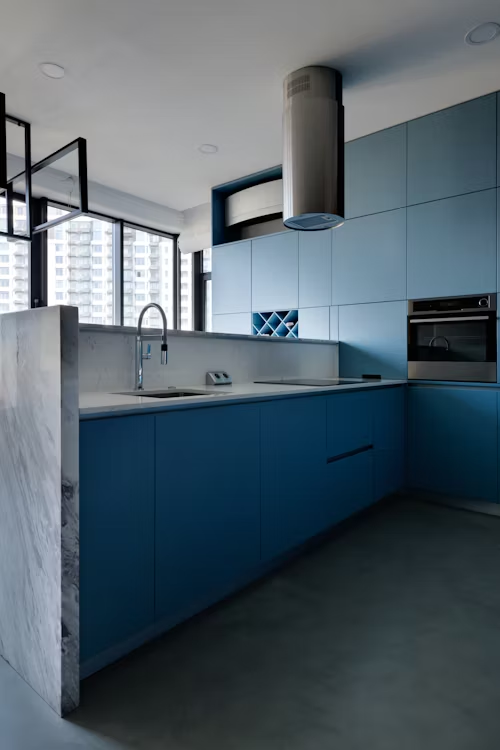
Balance Deep Blue With Lighter Surfaces
Dusty blue and navy can create a clear focal zone against a light countertop or pale backsplash. Review how much dark cabinetry is visible from adjacent spaces and whether the room has enough task and ambient light. A deep color used on an island reads differently from the same color repeated on perimeter and tall cabinets.
Check Metal and Appliance Finishes
Brass can create warm contrast, while nickel and stainless can relate to appliances. Black hardware may reduce contrast on navy fronts and produce a quieter line. Compare the metal samples beside the cabinet at the same time rather than selecting them from separate catalog pages. Include appliance handles and edge trims in the review.
Charcoal and Black Combinations
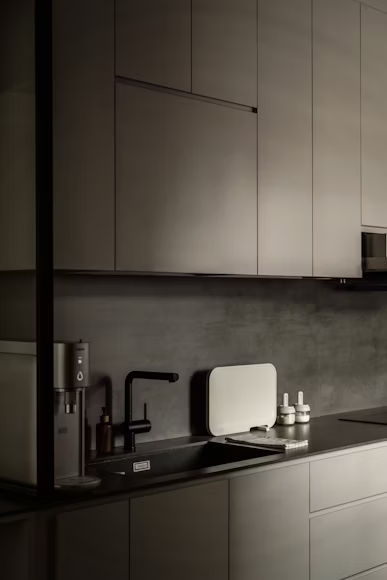
Protect Contrast and Task Light
Charcoal and black cabinets can frame a light counter, ground an island or make appliance fronts less dominant. They absorb more visible light than pale cabinets and can make deep corners harder to read. Check worktop lighting, interior cabinet lighting and the transition into adjacent rooms before approving a large dark area.
Review Surface Marks and Edge Details
Dark finishes can show dust, oil marks, polishing differences and edge damage. Sheen, texture and handle position influence what becomes visible in use. The black kitchen cabinet guide covers maintenance and finish considerations in more detail. The project sample should still represent the proposed substrate, edge and coating system.
Wood and Painted Cabinet Combinations
Coordinate Grain With the Floor
Wood cabinets and wood floors do not need to match, but they should not look like failed copies of one another. Compare species, cut, grain scale, stain color and sheen. A deliberate difference in value or grain can separate the cabinet from the floor while a shared warm or cool direction keeps the room connected.
Use Paint to Balance Wood Variation
Painted cabinets can calm a room that already contains active grain. Common arrangements include wood perimeter cabinets with a painted island, a wood tall-unit wall with neutral base cabinets, or a painted run with wood open shelves. The white oak kitchen cabinet guide explains grain, finish and range-sample controls that matter when natural variation remains visible.
Two Tone Cabinet Combinations
Apply Color by Architectural Zone
A two-tone scheme is easiest to understand when the change follows the kitchen layout. Island versus perimeter, tall units versus worktop runs, or base cabinets versus upper cabinets are clear rules. Random changes between individual doors are harder to document, procure and install consistently.
Show Every Transition
Mark the finish code on plans, elevations and the cabinet schedule. Show exposed ends, fillers, scribes, plinths, cornices, light valances and interior faces that become visible when a door opens. A two-tone concept can fail at the edges when these secondary parts are not assigned.
Coordinate the Countertop
Review Background Veins and Edge Profile
Separate the countertop into background color, major veining, small aggregate or speckle, finish and edge profile. The cabinet normally meets the background area along a long horizontal line, while large veins may cross only selected zones. Review a slab image or full slab where pattern placement matters. The countertop material guide can help compare material categories before the color pairing is finalized.
Use Representative Surface Samples
A small engineered-stone chip may not show the complete pattern, and a single natural-stone piece may not represent the installed range. Cambria notes that variation in color, pattern, size, shape and shade can be inherent in its quartz products and provides physical countertop samples for review. Apply the same principle to the selected product: confirm how the sample relates to the actual slabs or batches offered for the project.
Coordinate Floors and Backsplashes
Keep the Floor Undertone Consistent
The floor forms a broad field beneath every cabinet run. Compare the cabinet sample at floor level and at eye level because reflected light and viewing angle change the relationship. If the kitchen floor continues into another room, include that transition in the palette review. The kitchen floor tile guide provides additional tile layout and finish considerations.
Control Backsplash Pattern and Grout
The backsplash sits directly between upper and base cabinetry, so small undertone conflicts remain visible. Review tile face, pattern repeat, grout color, trim, outlet covers and any stone upstand together. A patterned backsplash can be the feature surface, but the countertop and cabinet should then provide quieter fields unless the drawings establish another deliberate hierarchy.
Coordinate Hardware and Appliances
Assign a Role to Each Metal Finish
List the visible metal finishes in one schedule. Cabinet hardware, taps, sinks, appliance trims, light fittings and stools do not all need to match, but repeated finishes should have a clear role. For example, one metal may serve as the primary hardware finish while black is reserved for appliance fronts and window frames.
Review Appliance Fronts in the Elevation
Stainless steel, black glass, white enamel and integrated panels change the amount of contrast in the room. Place appliance images and finish samples on the elevation, then check adjacent fillers and handles. An integrated appliance can reduce visual interruption, but its panel still needs an assigned cabinet finish and grain direction.
Check Daylight and Electric Light
Review Samples Through the Day
Place the sample board in its intended room and review it in morning, afternoon and evening conditions. Move it between perimeter runs, the island and darker corners. Benjamin Moore recommends moving color samples around a room and viewing them from different angles and lighting conditions in its paint sample guidance. For cabinetry, use a production-representative door rather than assuming a wall-paint sample reproduces the cabinet coating.
Record the Electric Light Conditions
Record the lamp or luminaire model, correlated color temperature, dimming condition and available color-rendering information when these affect approval. The ENERGY STAR LED lighting guide explains color temperature and color rendering as separate lighting characteristics. Do not approve finishes under a temporary site lamp if the installed lighting will be materially different.
| Review condition | What to inspect | Decision record |
|---|---|---|
| Morning daylight | Cool or directional shifts on cabinet counter and floor | Acceptable location and any observed undertone change |
| Afternoon daylight | Glare veining reflection and high contrast edges | Acceptable location and any shading concern |
| Task lighting | Worktop color backsplash grout and underside shadow | Luminaire model setting and approval result |
| Evening ambient light | Dark corners cabinet depth and metal reflections | Scene or dimming level used for review |
| Adjacent room view | Transition between cabinet palette and continuing finishes | Approved sightline and any boundary detail |
Build the Sample Board and Finish Schedule
Use a Controlled Review Sequence
- Confirm the fixed-surface inventory and identify the anchor material.
- Select two or three cabinet directions that can be supplied in the required door profile substrate edge and sheen.
- Add the exact countertop floor backsplash wall hardware and appliance references.
- Review the board vertically and horizontally in the actual room under recorded lighting conditions.
- Check complete elevations including exposed ends fillers plinths panels and integrated appliance fronts.
- Resolve open items and obtain a production-representative door or control panel.
- Sign and retain the approved sample and issue the matching finish schedule with the current drawing revision.
The sample review should compare the complete system, not a cabinet color chip in isolation. Use the kitchen design hub to coordinate the finish decision with layout, doors, worktops, hardware, appliances and site conditions.
Approve the Complete Cabinet Finish
The finish schedule should identify every visible component and the control used to accept it. If cabinet performance certification is required, verify that it applies to the offered cabinet line. The KCMA A161.1 quality certification program includes cabinet structure, doors, drawers and finish testing, but a certification mark does not replace project-specific color and sample approval.
| Finish schedule item | Required record | Approval control |
|---|---|---|
| Cabinet fronts | Door profile substrate color code coating or surface and sheen | Signed production-representative door or panel |
| Exposed cabinet parts | End panels fillers scribes plinths cornices valances and open interiors | Finish assignment on every elevation and schedule line |
| Wood components | Species cut stain clear coat grain direction and permitted range | Range sample showing acceptable light dark and grain variation |
| Countertop | Material color finish thickness edge joints and slab or batch reference | Selected slab range or manufacturer-approved representative sample |
| Floor and backsplash | Product batch layout grout trim and transition details | Approved tile range sample and layout drawing |
| Hardware and appliances | Model finish size location and visible adjacent trims | Physical sample or approved product data tied to elevation |
| Lighting review | Luminaire model color temperature setting and review condition | Signed sample-board review record |
| Release status | Drawing revision open items approver and date | No production release until required items are closed |
Common Coordination Mistakes
- Choosing a cabinet color from a screen without the countertop floor and backsplash samples.
- Matching marketing names such as white gray or oak instead of comparing undertone value grain and sheen.
- Approving a small sample that does not represent the slab pattern wood range or final cabinet coating.
- Adding several active patterns without deciding which surface should lead the composition.
- Reviewing finishes only in daylight or only under temporary site lighting.
- Selecting handles taps lights and appliance finishes separately without one metal schedule.
- Using two cabinet colors without assigning fillers end panels plinths and integrated appliance fronts.
- Releasing production before the sample board finish schedule and current elevations agree.
Kitchen Cabinet Color Combination FAQ
Should Cabinets Match the Countertop or the Floor
They do not need to match either surface. The cabinet should form a deliberate relationship with both. It may repeat an undertone from the countertop, contrast in value with the floor, or serve as a quiet field between two stronger materials. Compare all three together and state which surface is the anchor.
How Many Cabinet Colors Should One Kitchen Use
One or two cabinet finishes are usually easier to coordinate and document, but the correct number depends on the layout and material brief. Add another finish only when it has a clear zone and a complete component assignment. A different finish on an island or tall-unit wall is easier to control than several isolated door colors.
Can Warm Cabinets Work With Cool Countertops
Yes, if the contrast is intentional and another element connects them. A mixed vein, neutral backsplash, metal finish or wall color may bridge the two directions. Review large samples because a small chip may hide the warm or cool bias that becomes obvious across a full door or slab.
Should Hardware Match the Appliances
Exact matching is optional. Hardware and appliances can use different finishes when each has a consistent role. Compare undertone, reflectivity and repetition across the elevation. Record the decision in one schedule so substitute items do not introduce an unintended third or fourth metal finish.
When Is a Cabinet Color Ready for Production
The color is ready when the production-capable finish, fixed surfaces, hardware, appliance fronts and lighting conditions have been reviewed together; all visible cabinet components have finish codes; the elevations and schedule use the same references; and the signed control sample and open-item status are recorded.
Prepare the Color Coordination Brief
Send the Relevant Project Information
A useful brief includes plans and elevations, room photographs, the fixed-surface list, countertop slab or sample information, floor and backsplash references, appliance models, hardware direction, lighting information, cabinet door construction and the required approval date. Mark items that are provisional instead of allowing them to appear confirmed.
Request a Coordinated Finish Review
To request a project-specific cabinet color matrix and sample plan, send the drawings and material list. George House Material can organize the available references, identify missing interfaces and prepare the cabinet finish information needed for quotation, sample approval and production release.